How to Block Distracting Apps During Salah
The phone is built to pull you back. Here are the habits, and the iPhone apps, that keep your attention on your prayer instead of your notifications.

You make wudu, you stand to pray, and somewhere in the second rakah a thought slips in. Did someone reply. What was that buzz. The phone is face down beside the mat, and even there it is pulling at you. You are not weak for feeling it. The phone was built, very deliberately, to be hard to put down.
Why salah and the phone pull against each other
Every notification is a small promise of something new, and your mind is wired to chase it. The apps you open most are shaped by people whose whole job is to keep you coming back. Salah asks for the opposite of all that. Stillness. Full attention. Presence with Allah. So the tug you feel during prayer is real, and it is not really a question of willpower. It is one very polished system pulling against a few quiet minutes.
The two things that actually work
There are two levers, and the people who pray with real focus tend to pull both. One is habit. The other is making the distraction physically harder to reach. Habit on its own is fragile when the phone is right there in your pocket. Blocking on its own can feel like a cage if it fights your routine. Together, they hold.
Habits worth building
A few small habits move the needle more than any app:
- Put the phone in another room while you pray, or at least face down and beyond arm's reach.
- Lay out your prayer mat and make wudu before the adhan, so when it calls you are ready, not mid scroll.
- Silent is not enough. A phone on silent still lights up and still tugs. Turn it over, or put it away.
- Tie each prayer to something you already do. After lunch, pray Dhuhr. The habit carries you on the days motivation does not.
How blocking apps actually works on an iPhone
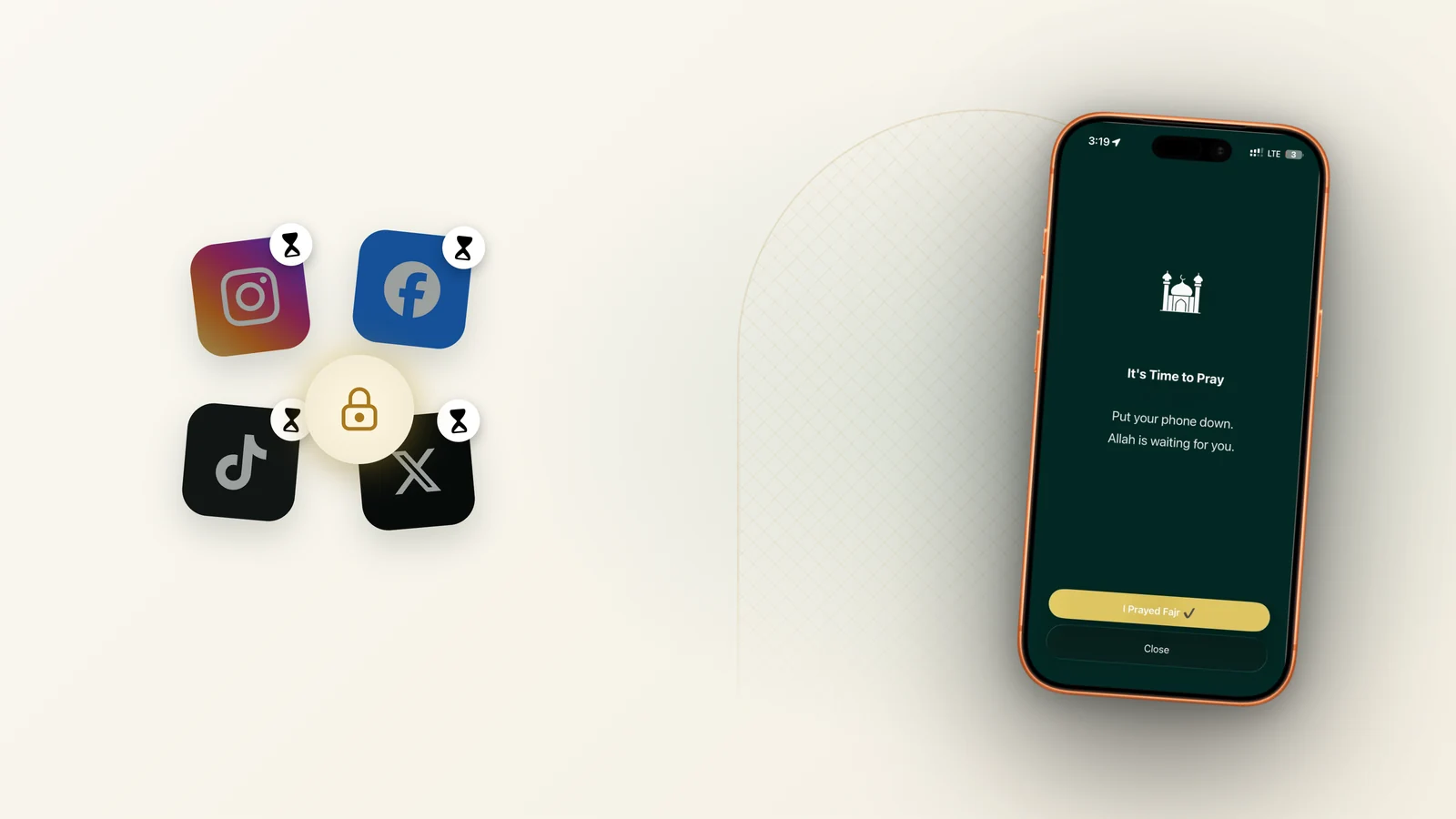
This is the part I know well, because I have built it many times over. On the iPhone, an app cannot simply force another app shut the old way. Instead, Apple gives developers a system called Screen Time, the same one behind the parental controls in your Settings. With your permission, an app can use it to lock the apps you choose for a set window, then quietly hand them back when the time passes.
Because it works at the level of the operating system, it is not something you can swipe away in a moment of weakness. That is the whole point. You make the decision while you are calm, before the adhan, and the phone honors it while you pray.
There is a quieter benefit too. An app that blocks through Screen Time cannot see what you do inside the apps it locks. Apple built the framework that way on purpose. In its own Screen Time security documentation, Apple states plainly that no specific app or website usage data is gathered, and that the data is not readable by Apple itself. The tool that guards your prayer is not watching you in return.
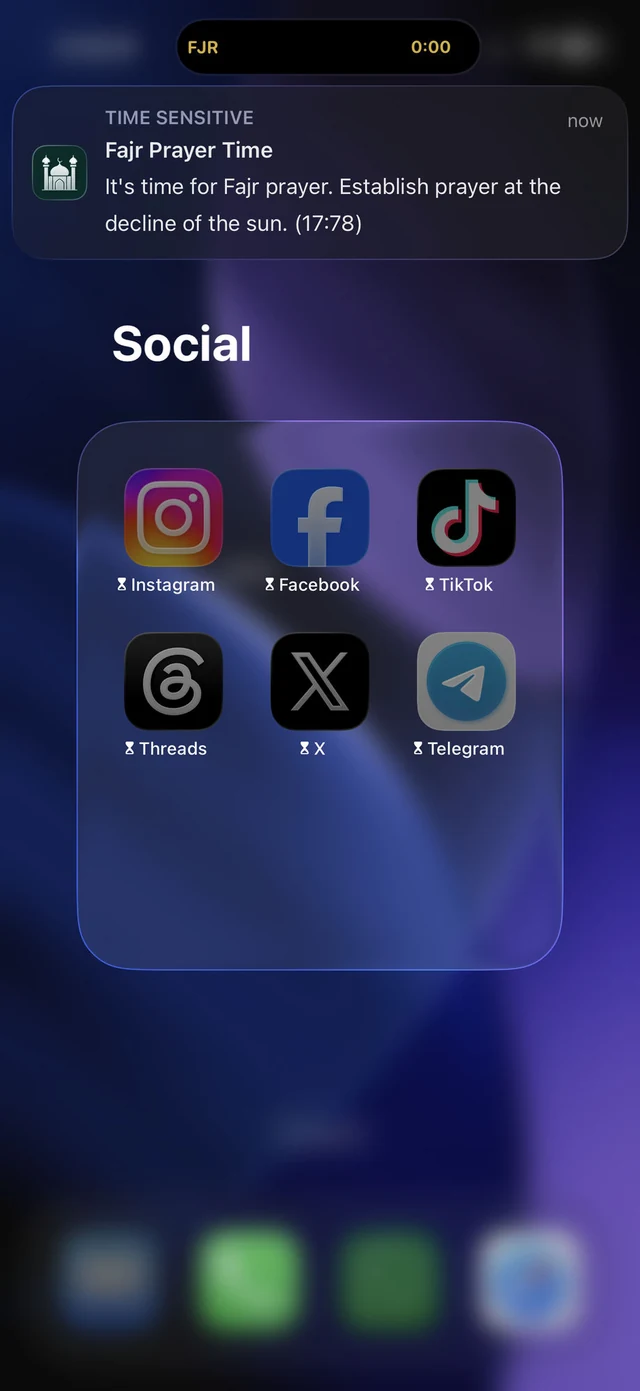
The screen stays dark and your attention stays whole. That is all you are really asking for.
The apps that do this
Before I name any, the same honesty I always owe you: I build one of these. Athanify is mine. I will still be fair about the rest.
Athanify. The focus mode locks your distracting apps automatically at each prayer time using Screen Time, then lets them back when you are done. It lives alongside your prayer times, the Qibla and your streak, so the blocking is simply part of praying rather than another app to remember.
Noor Focus. Built on the same idea, blocking distractions in a window before and after each prayer, and showing a gentle reminder where the app used to be.
Prayer Lock and Prayer Pause. Both add a thoughtful twist. To unlock early you complete a small act first, a verse, some dhikr, a moment of reflection, so even the urge to break focus is turned into something good.
Aqimo. Keeps your chosen apps locked until you confirm that you have prayed.
Any of these will help. Pick the one whose rhythm fits yours.
A gentle word to end on
None of this is about treating your phone as the enemy. It is a tool, and a tool can be told to wait. Twenty minutes, five times a day, where the screen stays dark and your attention stays whole. The app just holds the line, so you do not have to fight for it every single time.
Common questions
Can an iPhone app really block other apps during prayer?
Yes. With your permission it uses Apple's Screen Time framework, the same system as the parental controls in Settings, to lock the apps you choose for a set window. Because it runs at the system level, it holds even in the moment you are tempted to peek.
Will blocking apps during salah drain my battery or track me?
A well built one does neither. The blocking runs through Apple's own framework on your device, with nothing sent to a server. If privacy matters to you, it is worth reading how prayer apps handle your data before you choose one.
What if I need my phone during prayer for an emergency?
These tools block distracting apps, not your phone itself. Calls, messages, and anything you choose to allow still come through. You stay reachable the whole time.
 Conclusion
Design the interruption out, do not fight it
Willpower is the wrong tool here. The phone is engineered by very good teams to pull your attention back, and losing that fight during salah is not a character flaw, it is the predictable result of an unfair contest.
So change the conditions instead. Decide once which apps are the problem, let Screen Time lock them for the length of the prayer, and let access return on its own afterwards. The point is not restriction for its own sake. It is that the ten minutes you have set aside actually stay yours.

Keep reading

Senior iOS engineer and the founder of Athanify. Over six years he has shipped sixteen apps on the App Store to users in more than fifty countries, with deep work in Apple's Screen Time framework, payments, encryption and on device AI. He built Athanify on his own, from the first sketch to launch, and writes here about praying well in a world full of screens.